Today is the day the much anticipated version 3.1.0 is released to the general public. The new plugin structure (re-built in version 3.0.0) allowed for adding new features using a cleaner and more stable approach. Originally this release was scheduled in April but things went smoother than expected and more interest in the features kept pressure on a faster timeline. Having a robust unit testing suite cut testing time by nearly 2/3rds. I am very exited to announce the new features which were … [Read more...]
Advanced Sidebar Menu Pro 3.0
Last summer while visiting a good friend mine in Minnesota, I took a hard look at my architecture and decided it was time to give it an overhaul. The biggest challenge was bringing my great processes and tools into the mix while still maintaining PHP 5.2 compatibility. When it comes to things like unit testing and code sniffing, the general consensus is, "Can't be done with PHP 5.2". I was not satisfied with that answer so I took a crack at it. After spending many many hours, I not only … [Read more...]
Advanced Sidebar Menu PRO – Developer Docs
WordPress Hooks This plugin is highly extendable using WordPress hooks API. Below are brief descriptions of each of the actions and filters. Filters advanced-sidebar-menu/styles/accordion Used to change the accordion icon styles. May be used to add or remove styles or adjust the output of the icons per style. Accepts 1 argument: advanced-sidebar-menu-pro/widget-options/page/post-type/available-post-types Used to change which post types are available for selection in … [Read more...]
Advanced Sidebar Menu PRO – Usage
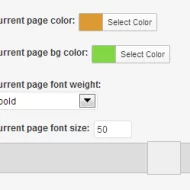
To use this plugin you must first install the Advanced Sidebar Menu plugin which may be downloaded for free: Once you purchase the PRO version, you will receive a download link for the PRO plugin within the order email. You may also download the PRO plugin anytime by going to the My Account section of this site. Upload the PRO plugin using the standard WordPress plugin installer and activate both the PRO and free plugins. Here are some step by step … [Read more...]
Advanced Sidebar Menu – Developer Docs
Template Overrides You may override the full output of the either widget by using a template override. In the plugins folder you will find a folder named "views". The following files will be found there: category_list.php - category widget outputpage_list.php - page widget output To use your own file, create a directory in your active theme named "advanced-sidebar-menu". Copy any of the above named files into that directory and the plugin will automatically use your version of the … [Read more...]
Advanced Sidebar Menu
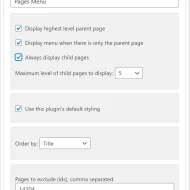
WordPress plugin which uses the parent/child relationship of your pages or categories to generate menus based on the current section of your site. How It Works When your users view a page or category, the Advanced Sidebar Menu plugin will calculate the related content based on what you have selected using the standard WordPress parent selectors. The menu will be different for every page that displays the Advanced Sidebar Blocks because the menu is generated specifically to the … [Read more...]